minilab's icon: an amber film strip on a dark tile

minilab

Scan, develop, and export your film, one roll at a time.

Colour & B&W negatives and slides · macOS, Linux & Windows · Free and open source

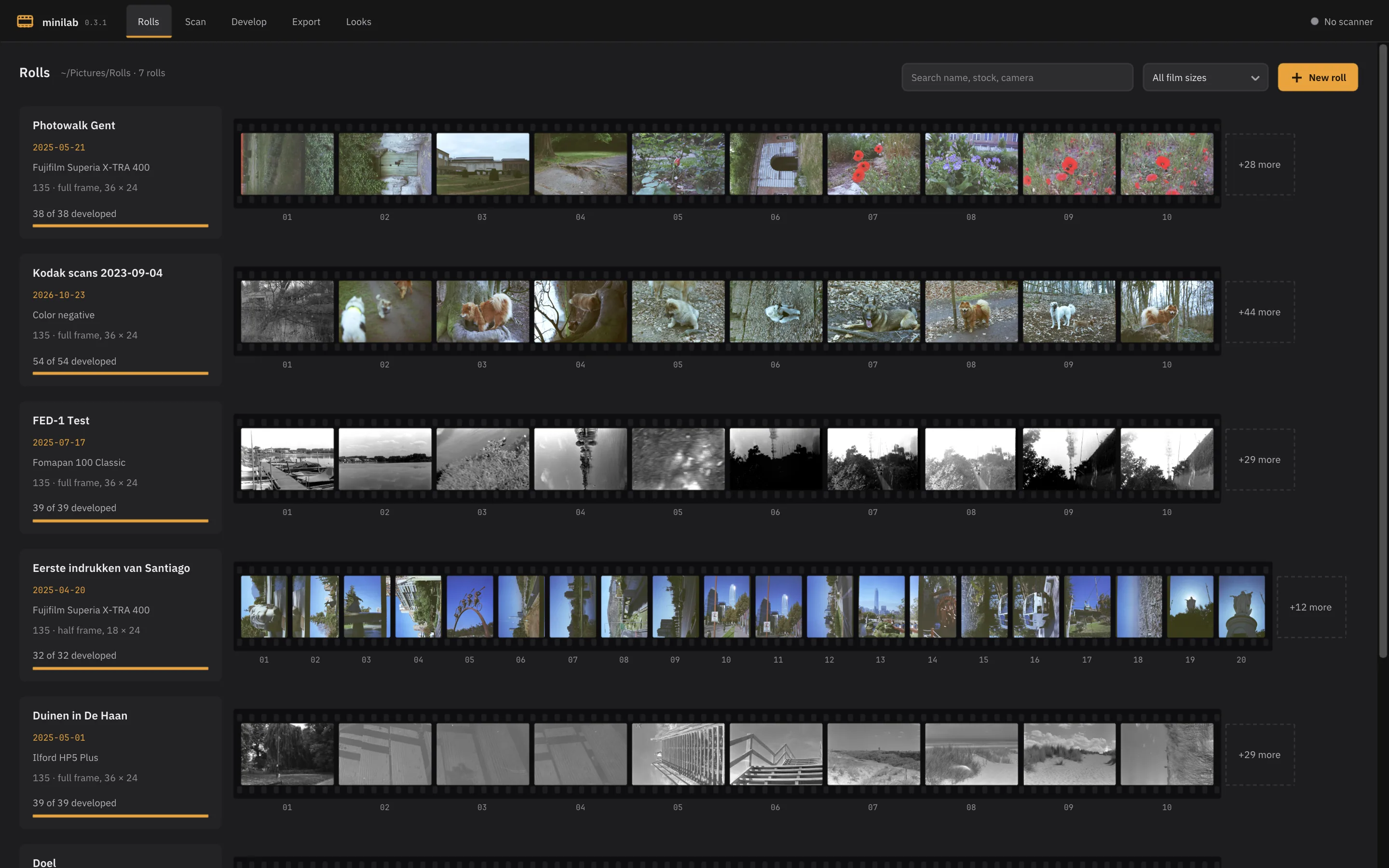
The Rolls workspace, with each roll as a contact sheet

Whether you scan on a flatbed, digitise negatives with a digital camera, or import lab-processed files, minilab automatically detects frames, inverts negatives, balances colour, and exports high-quality results.

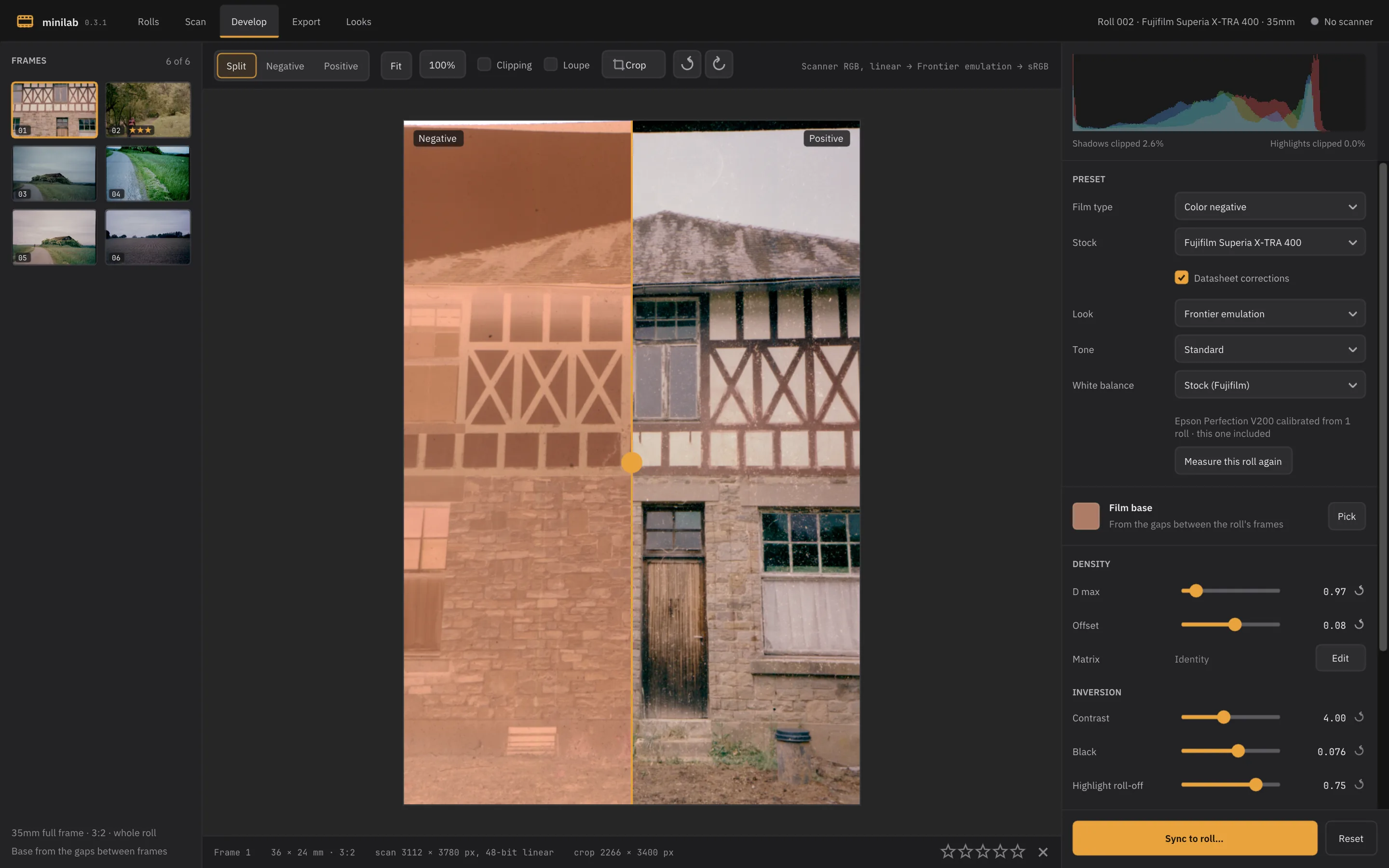
Develop, with a raw negative scan and its positive side by side

True raw processing

minilab bypasses your scanner's internal processing to capture 16-bit linear data, preserving the film's uncorrected orange mask. Camera RAW files are handled with the exact same precision.

During development, minilab measures the unexposed film base in the gaps between frames to calculate precise, clean inversions.
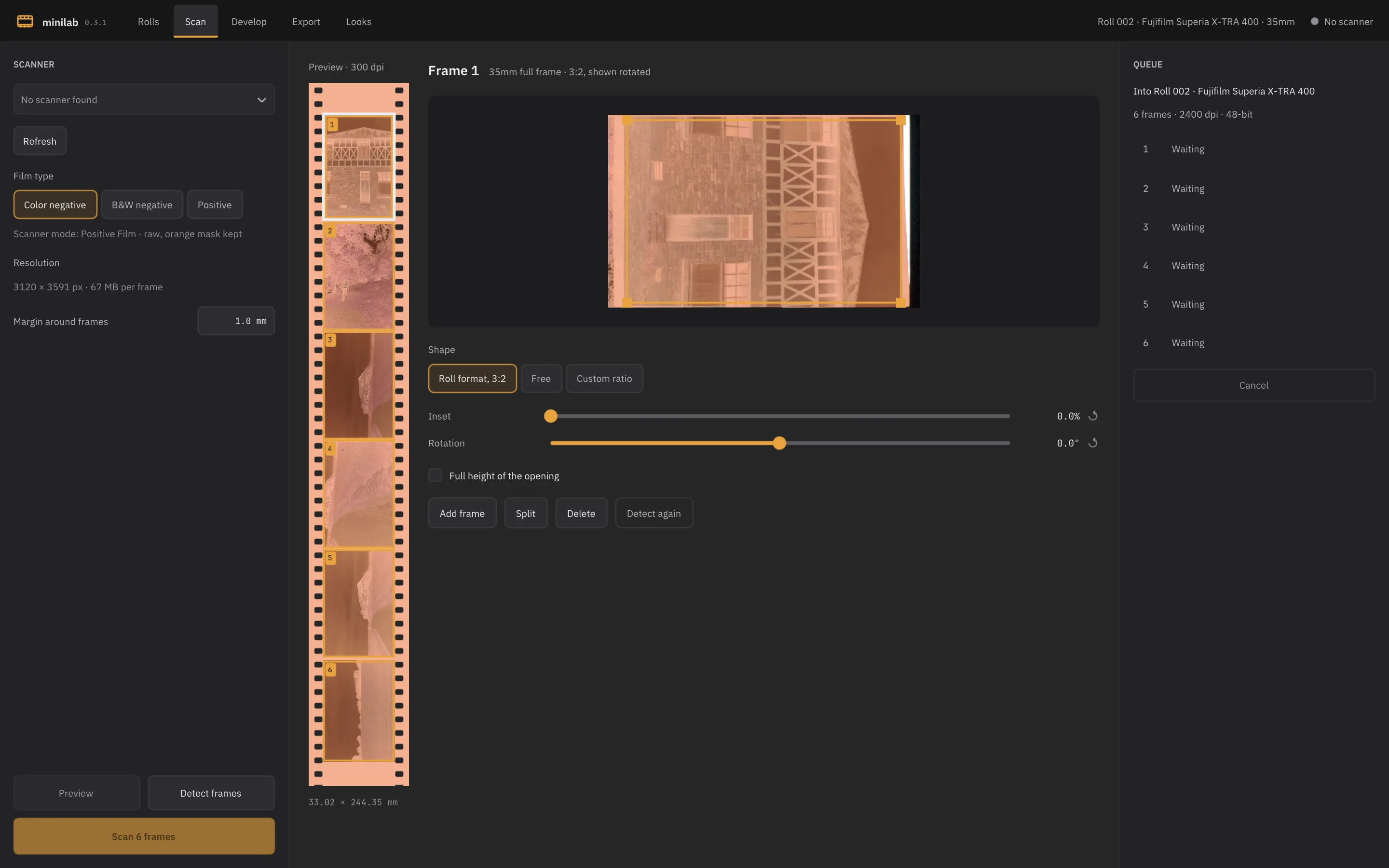
Scan, with the frames found on a strip's preview

Automatic frame detection

Automatically detect frames on flatbed previews, film strip scans, or camera digitisations across 35mm, half-frame, 120, and more.

Easily adjust frame boundaries manually before queuing batch scans. Strip scans imported directly into a roll are automatically split into individual frames.

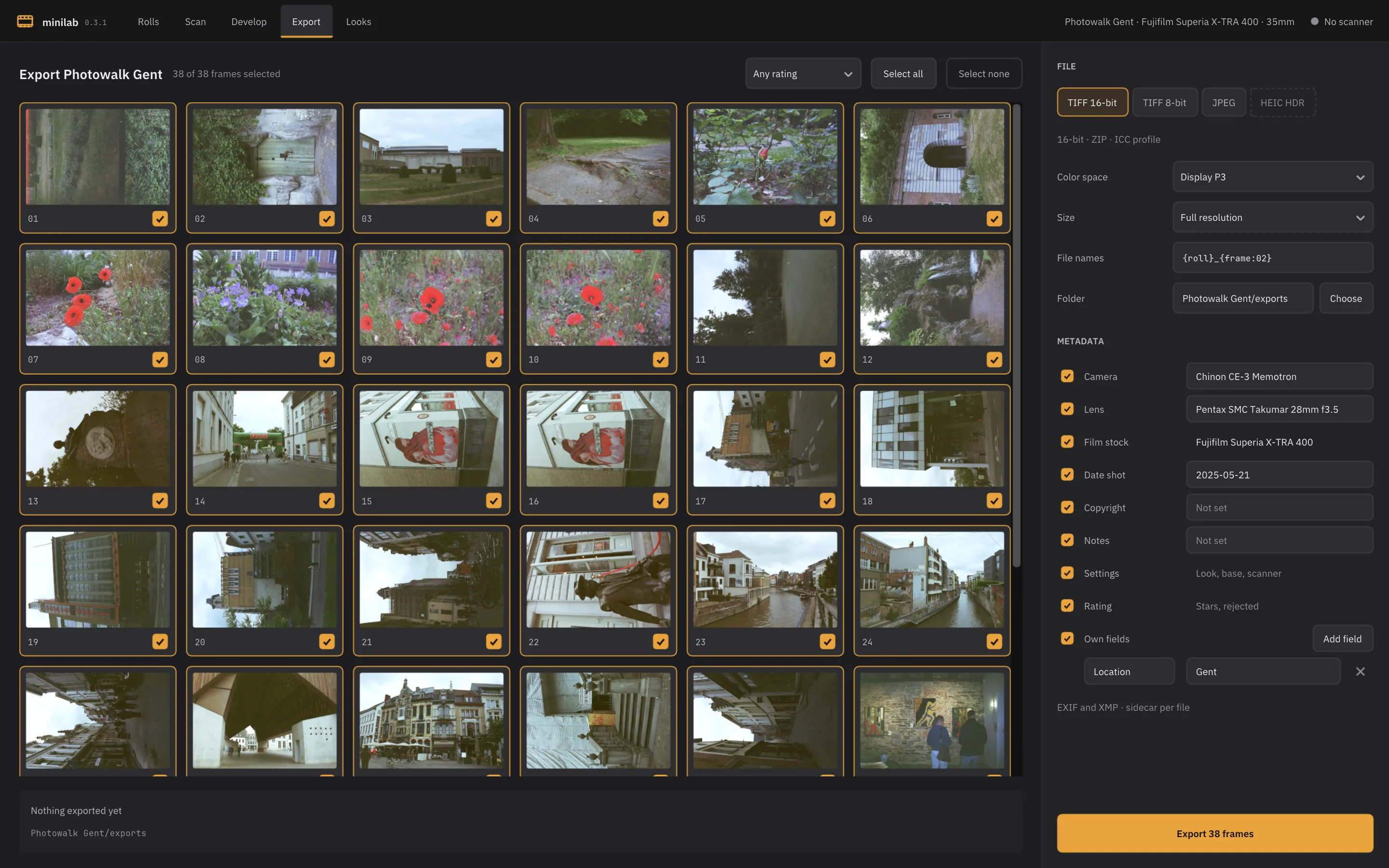
Export, with a roll's frames and its metadata

Streamlined roll workflow

Organise scans, film stock, camera, lens, and shoot notes together by roll. Scan, develop, and export seamlessly.

Sync adjustments across entire rolls. Batch export to TIFF or JPEG using sRGB, Display P3, Adobe RGB, or ProPhoto RGB colour profiles, complete with embedded EXIF and XMP metadata.

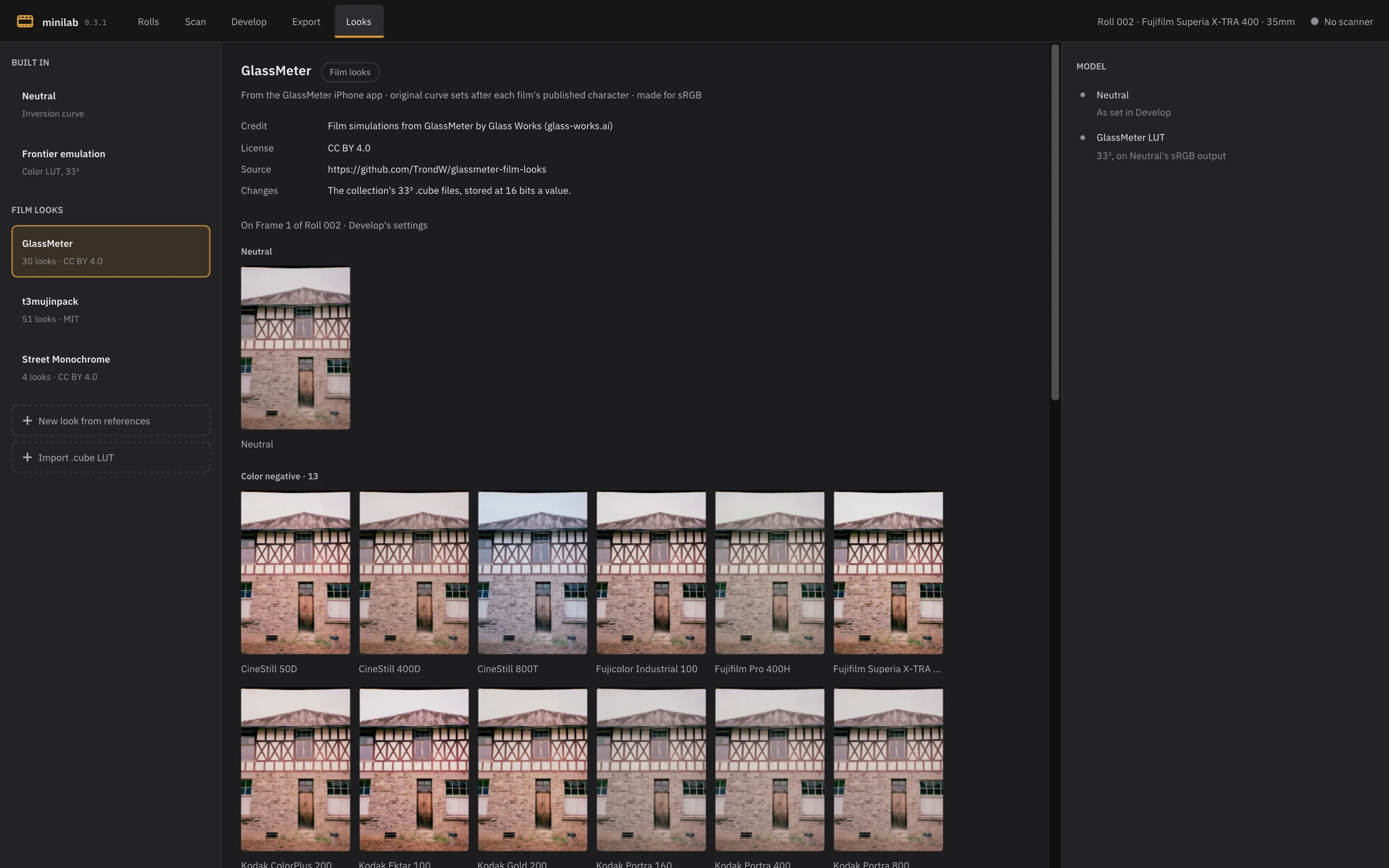
Looks, with one frame in each of GlassMeter's film looks

Datasheet curves & looks

For supported stocks, minilab uses published datasheets to correct shadow compression and naturally balance colours.

Apply styles on top: choose from Frontier lab emulation, 85 built-in film looks, your own 3D/1D .cube LUTs, or create calibrated looks matched to your favourite lab.

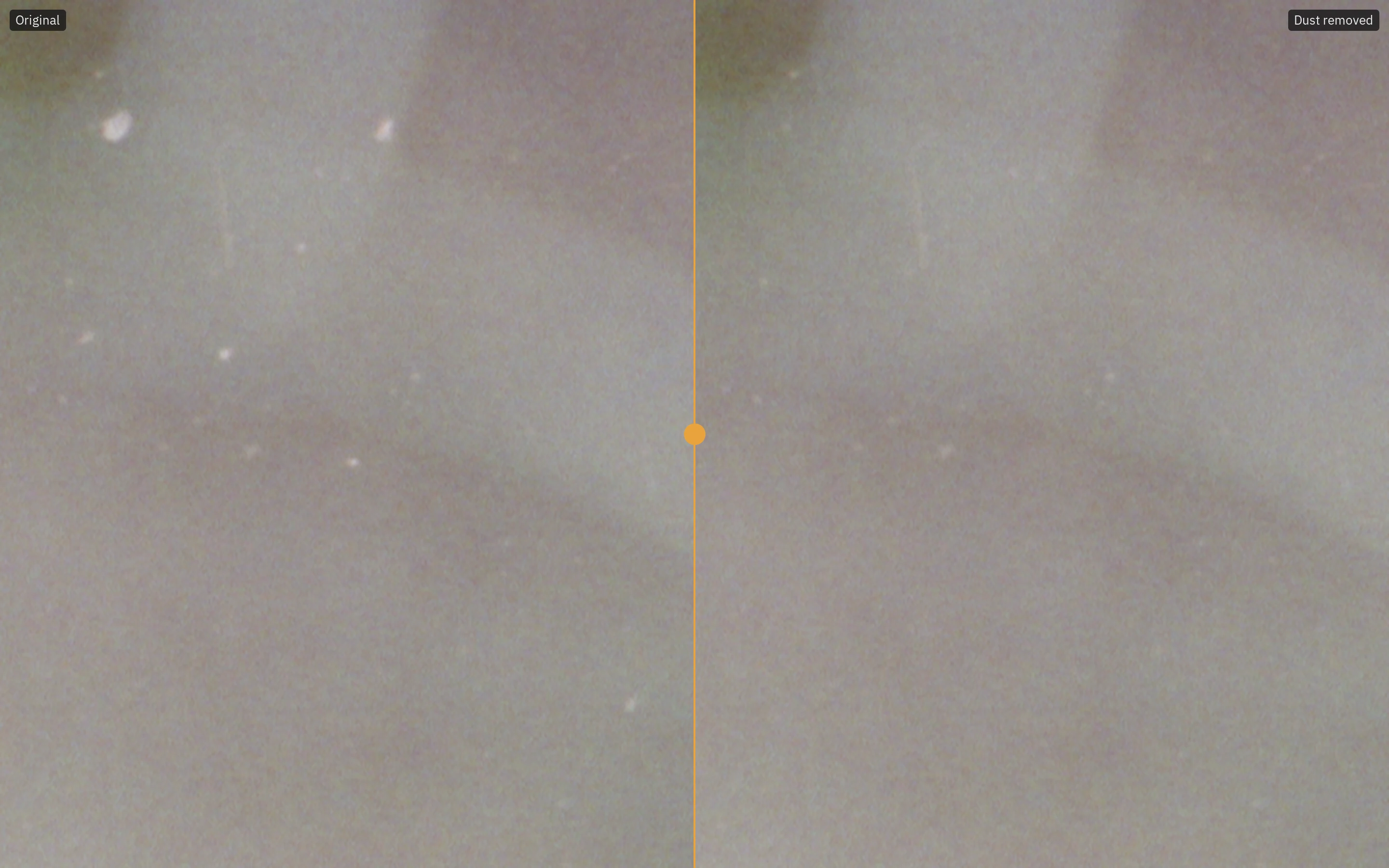
A close-up of a dusty colour negative scan, before and after dust removal

Automatic dust removal

minilab spots dust and lint on your scans and fills each speck in from the film around it, carrying the natural grain through every repair so it blends in, even on fast, grainy stocks.

Fine-tune the threshold, maximum speck size, and density for each frame to protect fairy lights, stars, and other small highlights, then sync your settings across the whole roll.

Key features

Download

The latest release is on GitHub.

All releases

macOS

The download is an app, minilab.app, with the scanner drivers inside. Move it to your Applications folder. It isn't signed, so macOS blocks it the first time you open it: open it once, then click Open Anyway in System Settings, under Privacy & Security. Or run this once instead:

xattr -dr com.apple.quarantine /Applications/minilab.app

Linux & Windows

On Linux, install your distribution's standard SANE package (e.g., sane-utils). On Windows, install your scanner's TWAIN driver.

To build minilab from source, refer to the build instructions.